The Bytecode Club
Log inJoin the club
Video Game Reverse Engineering

Problem with Bluestacks @ 860x720

Started by 1n9i9c7om · Jan 9, 2015

5 replies183,971 views
Jan 9, 2015#1

First of all - I'm new to TBC, so hello. 🙂
I've got a problem after changing Bluestacks resolution/window size to 860x720, it won't recognize clicks where the mouse is, but a bit more right:
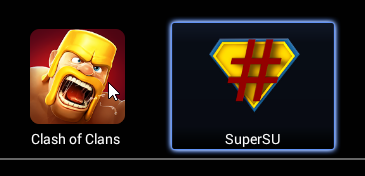
I understand that this isn't a problem with the bot, but with Bluestacks, however, I thought this would be the most appropriate to post this.
Any ideas what I can do to fix this?
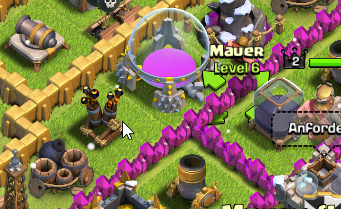
Edit: Seems like the click is also recognized a bit above the position of the mouse, when I click where my mouse is in this screenshot, it'll select the wall:
Thanks for any help. 🙂

Edit2: Thanks for moving, somehow didn't realize there's a section for bugs.

Jan 9, 2015#2

make sure you quit all bluestacks processes, run the reg file again just to be sure, and restart bluestacks.
I've seen this happen when you close bluestacks by clicking the x instead of using the Quit Bluestacks or closing all processes.

Jan 10, 2015#3

make sure you quit all bluestacks processes, run the reg file again just to be sure, and restart bluestacks.
I've seen this happen when you close bluestacks by clicking the x instead of using the Quit Bluestacks or closing all processes.

Thank you, it worked! 🙂
Can't believe I didn't look for Bluestacks processes, didn't realize there were background processes running.

(can be closed)

Jan 14, 2015#4

Instructions for those of you who have trouble with BS resolutions (860x720).  Example: the main window is resized, but the contents are still large. The issue with the original reg file was that it was missing the height/width keys.  Here's how to create your own file if you are wary of downloading it:

  1. Open notepad.

  2. Paste the following code in the window:

Windows Registry Editor Version 5.00

[HKEY_LOCAL_MACHINE\SOFTWARE\BlueStacks\Guests\Android\FrameBuffer\0]
"WindowWidth"=dword:0000035C
"WindowHeight"=dword:000002D0
"GuestWidth"=dword:0000035C
"GuestHeight"=dword:000002D0
"Depth"=dword:00000010
"FullScreen"=dword:00000000
"WindowState"=dword:00000001
"HideBootProgress"=dword:00000001
"Width"=dword:0000035C
"Height"=dword:000002D0
  1. Save file on the Desktop as "860x720.reg"

  2. Double-click on the file and click OK Twice.

  3. Restart BlueStacks by right-clicking on the icon in your taskbar and clicking Restart.

Jan 14, 2015#5

@dixonhill no quotes? XD

Yes do what I told ppl to do and fix the regfile with code in dixons post just replace the whole thing and restart

Jan 18, 2015#6

i've solved it, try this way 🙂

Press Win+R > type "regedit" > go to "HKEY_LOCAL_MACHINE\SOFTWARE\BlueStacks\Guests\Android\FrameBuffer\0" > Modify the value "Height" check list on decimal then input 720 > Modify the value "Weight" check list on decimal then input 860. ok.

is it working? i hope it's helpful :D

Got something to add?

Log in to post a reply.

Join the conversation