The Bytecode Club
Log inJoin the club
Video Game Reverse Engineering

⭐ [SOLVED] Unable to set BS resolution problem

Started by delta420 · Jan 29, 2015

14 replies344,161 views
Jan 29, 2015#1

[SOLVED]

So, apparently, Windows 8.1 likes to scale things differently making a 1980x1080 seem like 1536x864
Go to Control Panel-> Display-> Let me choose one scaling level for all displays-> 100%

Hi everyone,
First off, Thank you for an amazing bot! And as for my issue, Yes, I have already searched the forums.
Brief Description Of Problem:
After following these instructions exactly https://the.bytecode.club/showthread.php?tid=298 and I got to the point of the first screenshot. Everything looked like it should work, but it would not detect that the window was actually the correct size (screenshot 2). After messing around for an hour, I tried changing my PC resolution and it finally ended up working (screenshot 3). I was wondering if there was any way to allow the bot to work with my Pc's native resolution. Thanks a lot in advance!
Operating System: Windows 8.1
COCB Version: v5.4.2.2.2
BS Version: v0.9.6.4092
Screenshots:
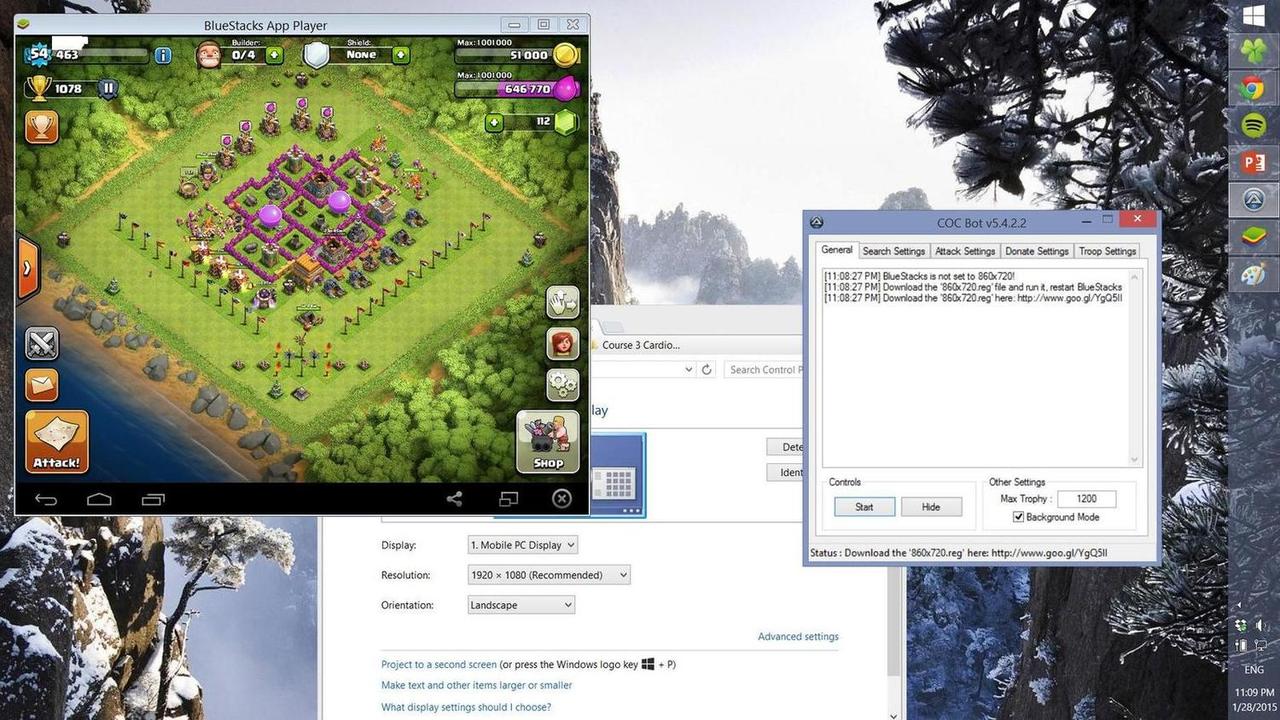
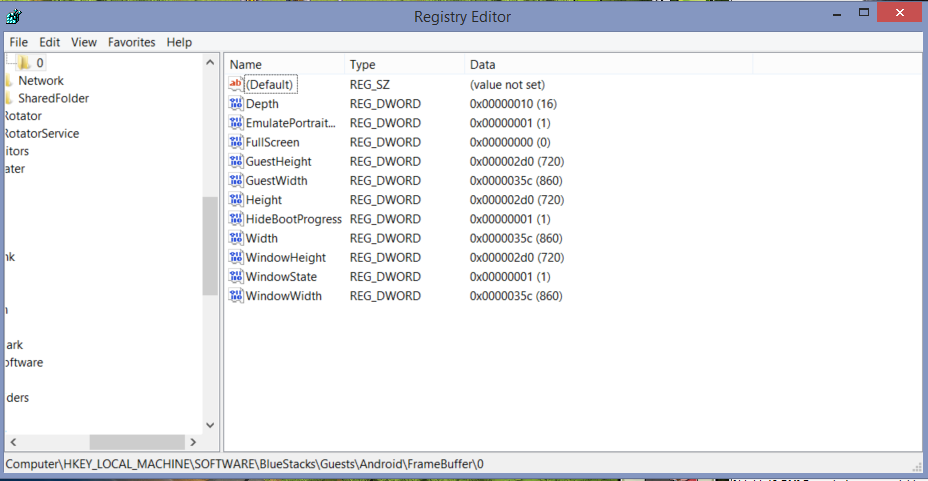
BLUESTACKS

Version: 0.9.6.4092
BlueStacks is open and not minimized
Resolution: 688, 576

AUTOIT

Version: 3.3.12.0
Native x64
Au3 Script

SPECS

CPU: X64
OS: X64; WIN_81

DESKTOP

Aero Enabled
Depth: 32
Resolution: 864, 1536
Refresh rate: 60

FUNCTION CALL

_WinAPI_GetDC: 0xFFFFFFFFC8012494
_WinAPI_CreateCompatibleDC: 0x000000005501294C
_WinAPI_CreateCompatibleBitmap: 0xFFFFFFFFA8051F21
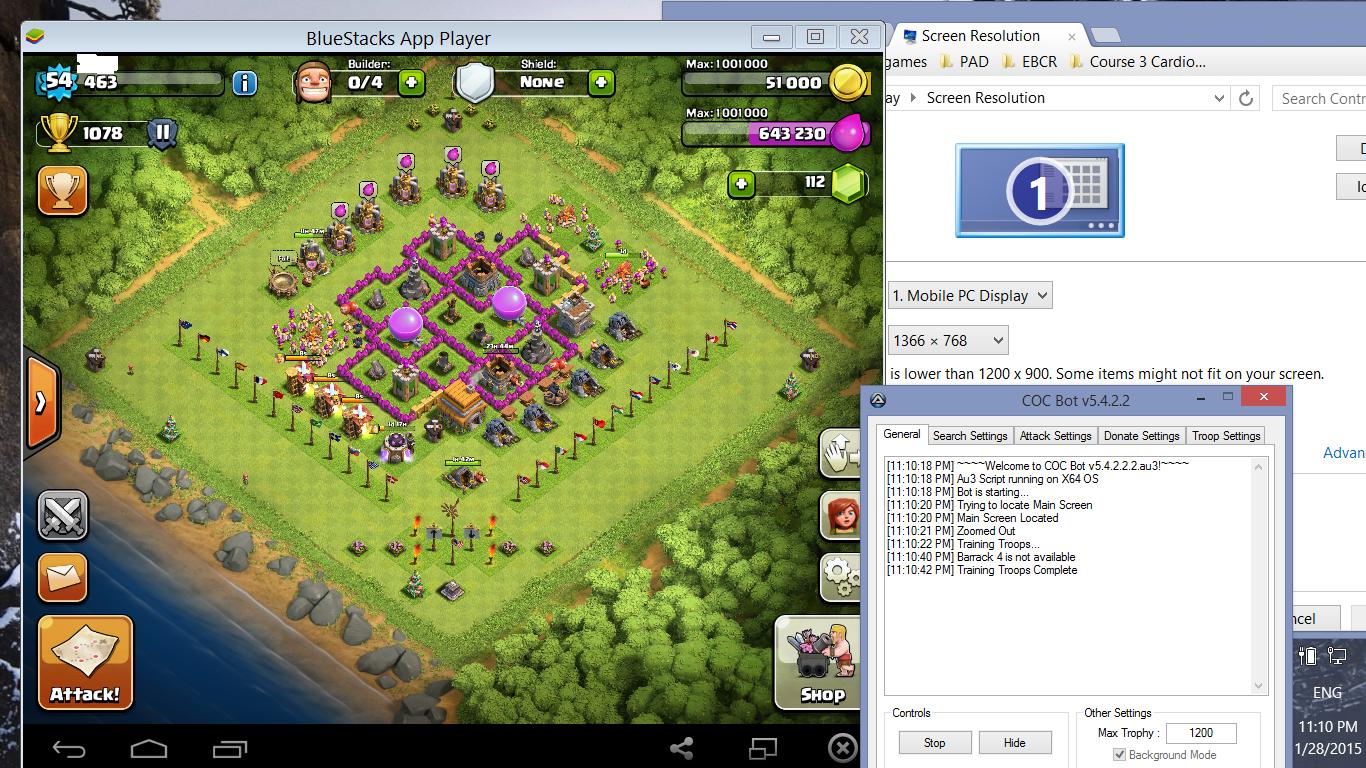
    BLUESTACKS

Version: 0.9.6.4092
BlueStacks is open and not minimized
Resolution: 860, 720

    AUTOIT

Version: 3.3.12.0
Native x64
Au3 Script

    SPECS

CPU: X64
OS: X64; WIN_81

    DESKTOP

Aero Enabled
Depth: 32
Resolution: 768, 1366
Refresh rate: 60

    FUNCTION CALL

_WinAPI_GetDC: 0x000000001E011904
_WinAPI_CreateCompatibleDC: 0xFFFFFFFF9F010F47
_WinAPI_CreateCompatibleBitmap: 0x000000002C050FBD

Jan 29, 2015#2

From the screen test result, It's clearly you didn't follow exactly the instruction. Coz after the update of registry, you need to restart PC to effect the resolution change.
Possible for bot to work with native resolution but as this is a macro bot highly dependent on windows size. It would be too much work for developer to develop all the resolution available since all of us has different resolution.

Jan 29, 2015#3

I know it's stupid but try and put the taskbar on the bottom. If it doesn't work, try download the Bluestack root version.

From the screen test result, It's clearly you didn't follow exactly the instruction. Coz after the update of registry, you need to restart PC to effect the resolution change.
Possible for bot to work with native resolution but as this is a macro bot highly dependent on windows size. It would be too much work for developer to develop all the resolution available since all of us has different resolution.

I don't think it's necessarily to restart PC because I didn't restart my PC and it works straight away after I update my registry.

Jan 29, 2015#4

I've restarted my PC multiple times as well as restarted BS multiple times with ending all the processes in task manager as well. Unfortunately, the size still persists when I use native resolution.

Jan 29, 2015#5

Try and download Bluestacks App player 0.9.6.4092 MOD.
I think it's a worth try.

Jan 29, 2015#6

I downloaded the version that was linked in the instructions, how is that one different from the one you mentioned?

Jan 29, 2015#7

@delta420, sorry was on my phone.. screen too small and missed out your first screen test result.

From the registry, i see you have an additional entry. EmulatePortrait, try delete it?

Jan 29, 2015#8

Deleted. There's no difference. I also tried installing the version stated by @2SUS but still no luck.

Jan 29, 2015#9

Technically the Bluestacks Windows should stick since it is smaller than the native resolution.

After you change your Windows Resolution to 864, 1536,

Apply Reg to check bluestack windows again.

Close all Bluestacks process (those starting with HD-)under Task Manager Process,

Run Start BlueStacks shortcut on desktop.

Do your screen test again.. Failed? Restart BS again

Jan 29, 2015#10

Still not working =(


 BLUESTACKS

Version: 0.9.6.4092
BlueStacks is open and not minimized
Resolution: 688, 576

 AUTOIT

Version: 3.3.12.0
Native x64
Au3 Script

 SPECS

CPU: X64
OS: X64; WIN_81

 DESKTOP

Aero Enabled
Depth: 32
Resolution: 864, 1536
Refresh rate: 60

 FUNCTION CALL

_WinAPI_GetDC: 0xFFFFFFFFC9011CEC
_WinAPI_CreateCompatibleDC: 0x0000000069011E5F
_WinAPI_CreateCompatibleBitmap: 0xFFFFFFFF8305140D

Got something to add?

Log in to post a reply.

Join the conversation