The Bytecode Club
Log inJoin the club
Video Game Reverse Engineering

[BUG] 5.5.1.1. Boosting Barracks

Started by kmatkwill · Feb 8, 2015

8 replies133,757 views
Feb 8, 2015#1

Provide the info below

    BLUESTACKS

Version: 0.9.4.4078
BlueStacks is open and not minimized
Resolution: 860, 720

    AUTOIT

Version: 3.3.12.0
Native x32
Au3 Script

    SPECS

CPU: X64
OS: X64; WIN_7

    DESKTOP

Aero Enabled
Depth: 32
Resolution: 1080, 1920
Refresh rate: 60

    FUNCTION CALL

_WinAPI_GetDC: 0xDE01135D
_WinAPI_CreateCompatibleDC: 0x13011161
_WinAPI_CreateCompatibleBitmap: 0x520513FC

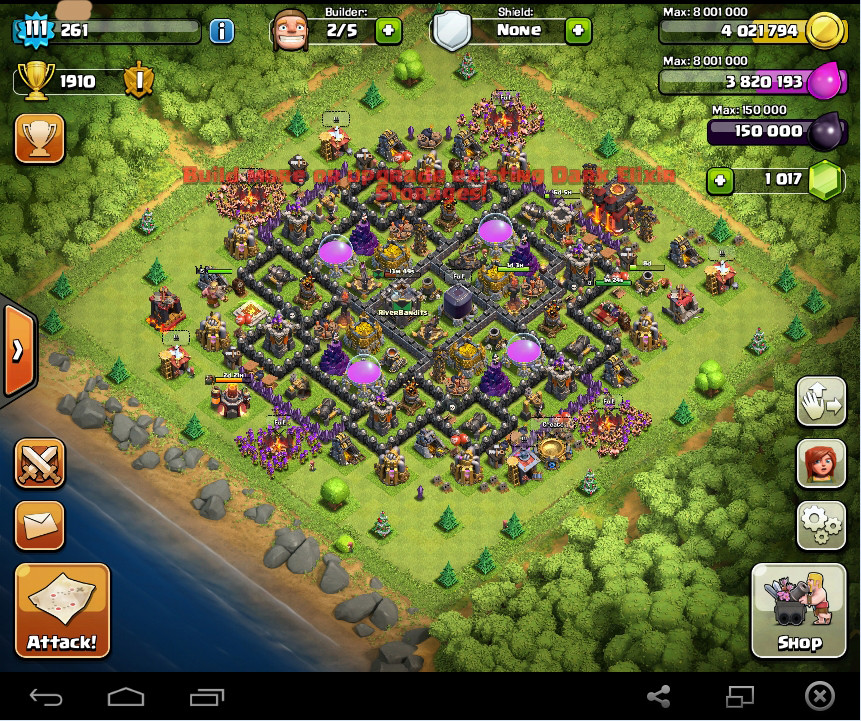
  • Screenshot:

  • Brief Description Of Problem:

When running bot, get this:
[7:40:56 PM] Boosting Barracks
[7:40:58 PM] Barracks are already Boosted
However, they are not boosted.

  • What Were You Doing To Trigger This:
    Just running it. Haven't gotten it to successfully boost yet.

  • What have you done to try resolve the problem.

  1. Tried stopping/restarting desktop windows management to enable aero
  2. recompiled script
  3. ran directly from script
  4. rebooted and restarted apps
  5. set barracks boosts left from 5 to 2

If it's just not working yet, that's cool. Just checking.

Poll results

We asked: Anyone else having this problem?

  • Yes — 2 votes
  • No — 0 votes

Total: 2 votes.

Feb 8, 2015#2

cant make Boosting Barracks works for me do i have to spend gems for boosting my barracks?

Feb 10, 2015#3

cant make Boosting Barracks works for me do i have to spend gems for boosting my barracks?

Not 100% sure but it does make sense you have to spend gems for the boost.
I have plenty but the boost does not work for me. Needs to say I'm using background mode, on Windows 7x64.
I looks at the boost but tells me the boost is allready activated which is not the case. Need to dig deeper into it to troubleshoot.

Feb 11, 2015#5

You are running the wrong Version of BlueStacks...
Use the one Provided in this thread:
https://the.bytecode.club/showthread.php?tid=298
And start completely from scratch, means uninstall AutoIt, BS, and delete the cinfig.ini from Bot

I am running the exact same version only not downloaded from mediafire.
I will download that one and retry it. Thanks for the reply!
Edit:
after reinstalling the issue was still there.
I found the probable cause.
The boost does not seem to work on a lvl9 barracks but does work on a lvl10 barracks.
I had 1=lvl9, 2=lvl10, 3=lvl10, 4=lvl9
Changed it to 1=lvl10 ,2=lvl9, 3=lvl10, 4=lvl9 so my number 1 barracks is lvl 10.
restarted the bot and the boost is set.
Great stuff!!

Feb 11, 2015#6

thanks twistednl mine works now.

barracks 1 should be a lvl 10 barracks or it wont work.

Feb 12, 2015#7

bost only work for lv 10 barracks??
i just have lv 9 T_T

Feb 13, 2015#8

bost only work for lv 10 barracks??
i just have lv 9 T_T

No sure if that is how it should work but I only got it working on barracks 10.

Feb 13, 2015#9

That solved it for me. Thanks twisted!

Got something to add?

Log in to post a reply.

Join the conversation