Thanks for the feedback, that's what I was thinking as well. As I tried to resemble human's clicking and speed, it reduces efficiency a lot (bot can execute multiple clicks much faster than human does). So it's just a matter of preference imo
Video Game Reverse Engineering
v5.4.0 (development)
Started by Antidote · Jan 6, 2015
Thanks for the feedback, that's what I was thinking as well. As I tried to resemble human's clicking and speed, it reduces efficiency a lot (bot can execute multiple clicks much faster than human does). So it's just a matter of preference imo
I tested this as well. The natural attack version is quite a bit slower and reduces efficiency. I've noticed that I can drop troops really fast since CoC supports multitouch so I'd use 2-4 fingers to drop troops. I think the unnatural part is how troops are dropped in the same spot exactly. Maybe instead of 4 drop points, we can do 8 or higher.
Cheers,
Cryzies
A mouse click and drag also works for this. since the troops are likely to be released near the edges even a single mouse drag releases quite a few troops. Troops remaining can easily be tallied.
If the idea is to stick with the drop count per wave then release according to top-left, bottom-left, etc. can be fairly easy to accomplish.
I updated this thread with latest development, feel free to to test it 😉
@Revial: for now it's just a proof of concept, if it's proven useful I'll optimize it further (mouse drag is a bit hard though as it can't be done in the background)
- Include King & Queen attack (works fine with backgrounding, activate power 3 seconds after deployed, can change to your liking in code)
Was just wondering where I can find the 3 seconds in the code. Couldn't find it 🙁
Thx for any help 🙂
me too where can i change the value of the hearoes attacking ability ?
it's actually 5 seconds though (5000 milliseconds). You can find it here:
Func atkAlgorithmKingQueen()
	If (GUICtrlRead($chkKingAttackAllBases) == $GUI_CHECKED) Then
		While 1
			For $i = 0 To 6
				If $atkTroops[$i][0] = "King" Then
					$kingSlot = $i
					Click(68 + (72 * $kingSlot), 595)
					SetLog("Dropping King")
					If _Sleep(2000) Or $RunState = False Then ExitLoop (2)
					Click($TopLeft[0][0], $TopLeft[0][1], 1, 1, $iRandomFactor)
					If _Sleep(5000) Or $RunState = False Then ExitLoop (2)
					Click(68 + (72 * $kingSlot), 595)
					SetLog("Activating King's power")
				EndIf
			Next
			ExitLoop
		WEnd
	EndIf
change 5000 (5 seconds) to whatever number you like
@Antidote i notice that the queen will not drop until the king's ability has been activated, so if you set the ability to activate in let say 30seconds.
The queen will only drop after that (30seconds).
Is there a way for the queen to drop same time as the king? In the 5.3.4 both heroes drop
at the same time.
Update: I found a fix for this. What i did was i seperated the heroes drop function to the
Ability activation function. Now the heroes drop at the same time and you can edit the
time when do you want the ability to be activate. which i set around 20 to 25seconds
after the drop perfect timing because the heroes are probably inside the base by this time.
The only problem now is the queen is not dropping if the king is sleeping.
@Antidote New version error.
Bluestacks latest version rooted, win 7 x64.
error when try to located barrack manually.
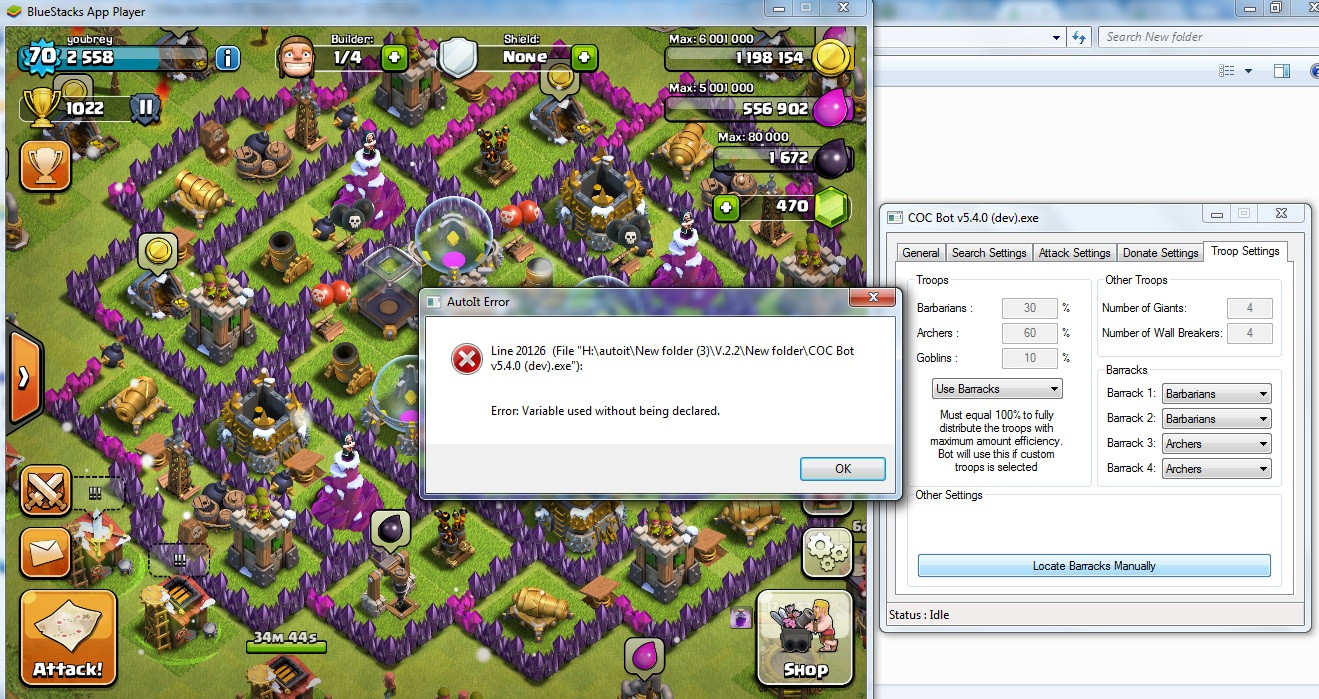
@Antidote i noticed that the bot has a high cpu usage.
Got something to add?
Join the conversationLog in to post a reply.