The Bytecode Club
Log inJoin the club
Video Game Reverse Engineering

Test Function for Background Feature

Started by Antidote · Jan 14, 2015

61 replies1,045,965 views
Jan 14, 2015#1

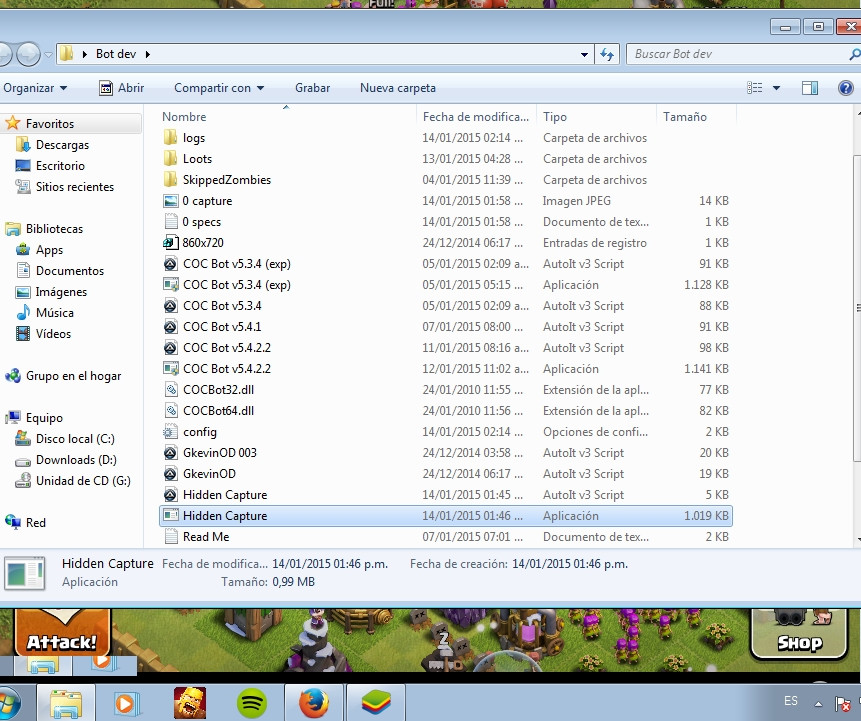
I'm releasing a test function for GkevinOD's screencapture which is being used for Hide function. Just download it and run (make sure BlueStacks and Clash of Clans is open)

It will output 2 files:
capture.jpg is the screen capture of BlueStacks windows using the function
specs.txt is the specs of your computer (BlueStacks's resolution, Autoit version, OS specs, Desktop resolution, ...)

You can tweak around different windows setting (os version, color depth, resolution,..) and run it again to see if it works. It will output files in increment number so you know which setting works for you.

Please send in the logs together with a statement if it output a screenshot for you or a black image so we can isolate the issues

If you don't feel comfortable posting it here you can pm me or any other dev or not share it at all. But these informations will help us a lot in working on a fix. Thank you very much.

~Update: Added check for Aero

Jan 14, 2015#2

One known issue is with Aero. This function doesn't work with Aero disabled and BlueStacks not in the foreground. So if you're having issues enable Aero and try again.

To enable Aero right click on Desktop -> Personalize -> choose any Aero themes.

Jan 14, 2015#3

Works OK for me. Screen is captured. Below are the details:


    BLUESTACKS

BlueStacks is open and not minimized
Resolution: 860, 720

    AUTOIT

Version: 3.3.12.0
Native x32
Au3 Script

    SPECS

CPU: X64
OS: X64; WIN_7

    DESKTOP

Aero Enabled
Depth: 32
Resolution: 1024, 1600
Refresh rate: 60

    FUNCTION CALL

_WinAPI_GetDC: 0x1C01120F
_WinAPI_CreateCompatibleDC: 0x1D011160
_WinAPI_CreateCompatibleBitmap: 0x4E05119D

Jan 14, 2015#4

BLUESTACKS

BlueStacks is open and not minimized
Resolution: 860, 720

AUTOIT

Version: 3.3.10.2
Native x64
Compiled

SPECS

CPU: X64
OS: X64; WIN_7

DESKTOP

Aero Disabled. Please enable Aero and try again
Depth: 32
Resolution: 1050, 1680
Refresh rate: 60

FUNCTION CALL

_WinAPI_GetDC: 0x0000000014012DC7
_WinAPI_CreateCompatibleDC: 0x000000006501322B
_WinAPI_CreateCompatibleBitmap: 0x000000005A05353C
screen capture is fine.. saw the whole village

edit: i kept turning on Aero but it says its disabled..

Jan 14, 2015#5

 BLUESTACKS

BlueStacks is open and not minimized
Resolution: 860, 720

 AUTOIT

Version: 3.3.12.0
Native x32
Au3 Script

 SPECS

CPU: X64
OS: X64; WIN_7

 DESKTOP

Aero Enabled
Depth: 32
Resolution: 1080, 1920
Refresh rate: 60

 FUNCTION CALL

_WinAPI_GetDC: 0x460107D4
_WinAPI_CreateCompatibleDC: 0x090126D7
_WinAPI_CreateCompatibleBitmap: 0xEC0526CF

Jan 14, 2015#6

i get a black screen 😕
here's the log:

BLUESTACKS

BlueStacks is open and not minimized
Resolution: 860, 720

AUTOIT

Version: 3.3.12.0
Native x32
Compiled

SPECS

CPU: X64
OS: X64; WIN_7

DESKTOP

Aero Enabled
Depth: 32
Resolution: 768, 1024
Refresh rate: 60

FUNCTION CALL

_WinAPI_GetDC: 0xC5010F78
_WinAPI_CreateCompatibleDC: 0x700110D0
_WinAPI_CreateCompatibleBitmap: 0xB50510CE

EDIT:with aero active, bot doesnt work (trying to get main menu) without aero work fine. any clue what could be?

Jan 14, 2015#7

Aero ON, but HD-Frontend.exe with "Disable Desktop Composition" ticked..
Got a perfect screenimage, not black.

Here are my specs:

 BLUESTACKS

BlueStacks is open and not minimized
Resolution: 860, 720

 AUTOIT

Version: 3.3.12.0
Native x64
Au3 Script

 SPECS

CPU: X64
OS: X64; WIN_7

 DESKTOP

Aero Disabled. Please enable Aero and try again
Depth: 32
Resolution: 1200, 1920
Refresh rate: 60

 FUNCTION CALL

_WinAPI_GetDC: 0xFFFFFFFFBE0155B8
_WinAPI_CreateCompatibleDC: 0xFFFFFFFF830153DE
_WinAPI_CreateCompatibleBitmap: 0x0000000033055281

Aero ON, but HD-Frontend.exe with "Disable Desktop Composition" NOT ticked..
Got a perfect screenimage, not black.

Here are my specs:

 BLUESTACKS

BlueStacks is open and not minimized
Resolution: 860, 720

 AUTOIT

Version: 3.3.12.0
Native x64
Au3 Script

 SPECS

CPU: X64
OS: X64; WIN_7

 DESKTOP

Aero Enabled
Depth: 32
Resolution: 1200, 1920
Refresh rate: 60

 FUNCTION CALL

_WinAPI_GetDC: 0x000000006701539E
_WinAPI_CreateCompatibleDC: 0xFFFFFFFFE80150B3
_WinAPI_CreateCompatibleBitmap: 0x0000000013053179

Jan 14, 2015#8

BLUESTACKS

BlueStacks is open and not minimized
Resolution: 860, 720

AUTOIT

Version: 3.3.12.0
Native x32
Au3 Script

SPECS

CPU: X64
OS: X64; WIN_7

DESKTOP

Aero Disabled. Please enable Aero and try again
Depth: 32
Resolution: 768, 1366
Refresh rate: 60

FUNCTION CALL

_WinAPI_GetDC: 0x46010D40
_WinAPI_CreateCompatibleDC: 0x97010A32
_WinAPI_CreateCompatibleBitmap: 0x58050A6F

Jan 14, 2015#9

SS worked fine. Note, I am running with a 32bit CPU not x64


 BLUESTACKS

BlueStacks is open and not minimized
Resolution: 860, 720

 AUTOIT

Version: 3.3.12.0
Native x32
Au3 Script

 SPECS

CPU: X64
OS: X86; WIN_7

 DESKTOP

Aero Disabled. Please enable Aero and try again
Depth: 32
Resolution: 900, 1440
Refresh rate: 59

 FUNCTION CALL

_WinAPI_GetDC: 0x5C011818
_WinAPI_CreateCompatibleDC: 0x350100A3
_WinAPI_CreateCompatibleBitmap: 0xF505009F

Jan 15, 2015#10

without aero i get a screen....but like this

Got something to add?

Log in to post a reply.

Join the conversation