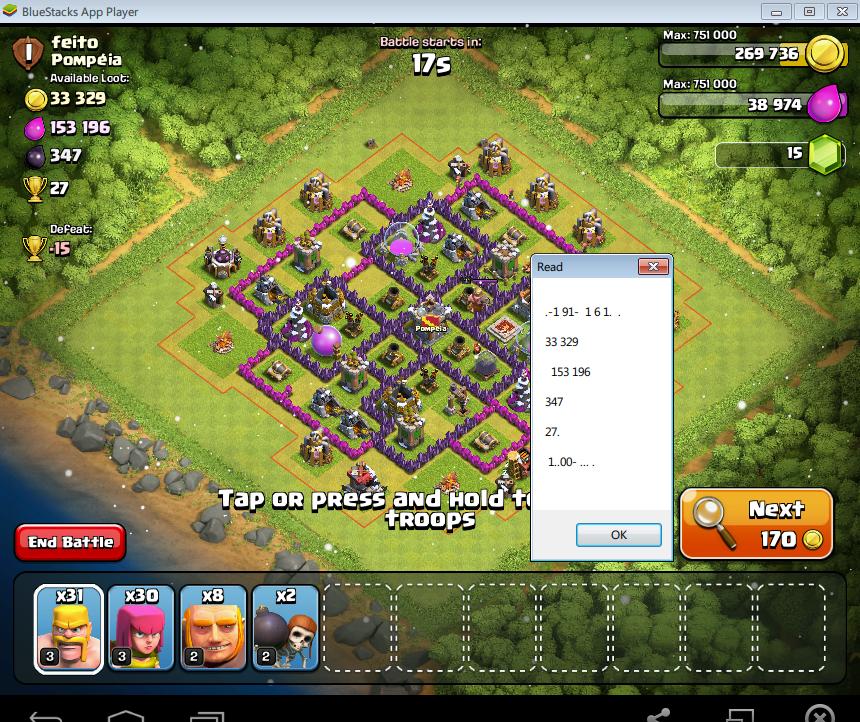
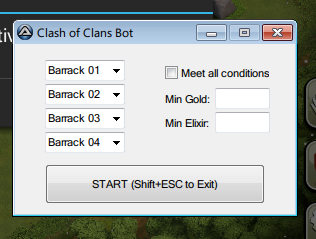
@odySSeys: Glad it works for you! I also experienced random 1 added in front of the result, though not very often. I think this has to do with the screen region you choose for tesseract to read from. It seems to read much more accurately when you choose a bigger region, but then you'll have to deal with extra characters, and the patterns are not always 100% consistent to realiably extract number from. For your case, try to edit the $left value in the script, change it from 42 to 45 or sth and then test again. It will reduce the region a bit to the right to remove the extra 1. My BS resolution is also 800x600, but I did get the script to detect resolution and auto adjust so resolution should not be a problem. My reading is also not perfect, about 90%. Hope everyone can try and tweak around until we can find the optimal region for reading 🙂
@HAX4DAYS: My guess is that it has to do with your tesseract. In the folder I provided above, I put Tesseract-OCR folder inside and modify the shell command inside Tesseract.au3 into
ShellExecuteWait("Tesseract-OCR\tesseract.exe", $capture_filename & " " & $ocr_filename)so that it will use Tesseract in that folder instead of the one installed. Then in the script I called #include "Tesseract.au3" so it will include the file Tesseract.au3 in that folder instead of the one in Autoit3/Include.
Alternatively, to use the one installed on your computer, make sure the following:
-
Copy this Tesseract.au3 I provided into Autoit3/Include
https://mega.co.nz/#!VwERWCKC!naMcu0iyGLOY-XqlABKVNYC3dsx_u6jhrgJ3-7Eud34 -
Look for tesseract.exe in your Tesseract-OCR installed folder, either "C:\Program Files (x86)\Tesseract-OCR\tesseract.exe" or "C:\Program Files\Tesseract-OCR\tesseract.exe"
-
Open Tesseract.au3 in Autoit3/Include and look for this line
ShellExecuteWait(@ProgramFilesDir & "\tesseract\tesseract.exe", $capture_filename & " " & $ocr_filename & " " & "-l coc" & " " & "digits", "", "", @SW_HIDE)Replace @ProgramFilesDir & "\tesseract\tesseract.exe" with your absolute path to tesseract.exe (in number 2)
-
Make sure coc.traineddata is inside your Tesseract-OCR/tessdata
-
Make sure it is #include <Tesseract.au3> in the script, not #include "Tesseract.au3"
-
That's it, your script should work now 🙂