AtoZ wrote:
dinobot wrote:
AtoZ wrote:
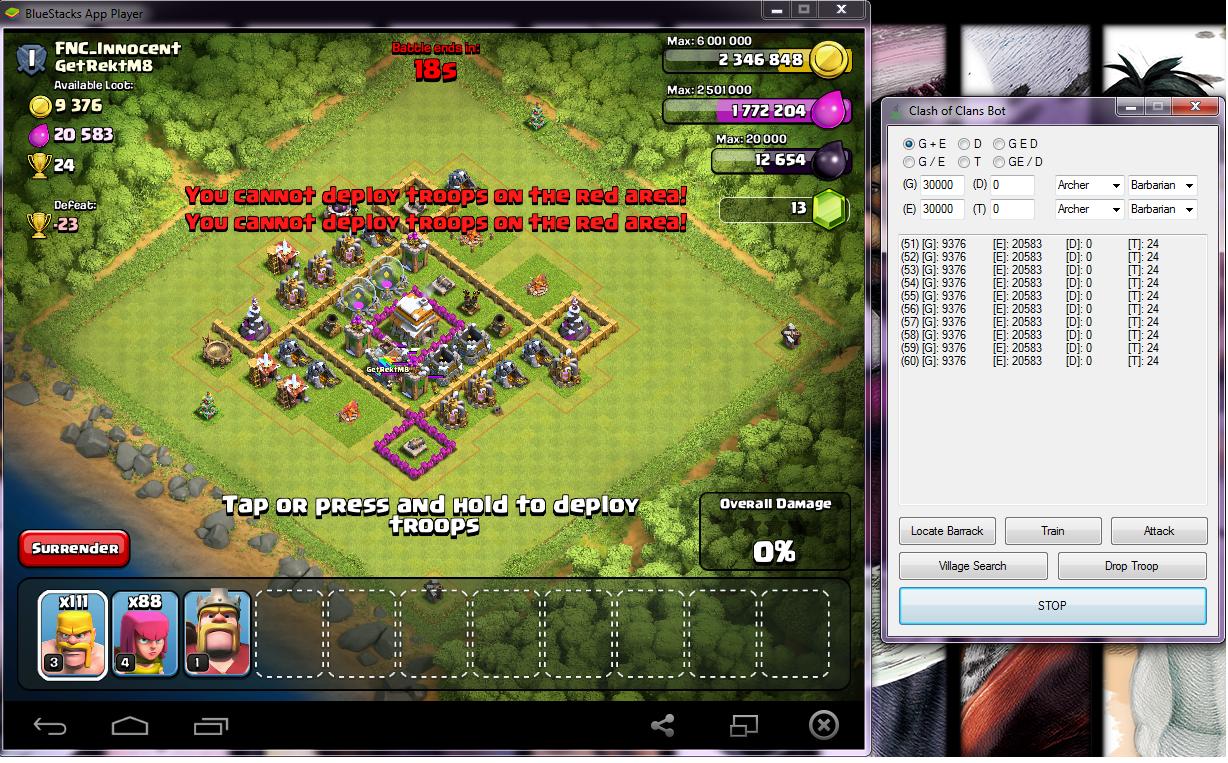
Also, there is also a need to recode the area in order for us to reuse the code for th detection as well.. we all just need to add images and call the fuction. It's that easy and we could snipe th as well. BullyMode here we come!
@Antidote,GKevinOD,others knowledgeable in pixel search
Anyone please revise 'Func AssignTroop()' code and use pixelsearch. It's the troop selection during battle. It's a bit buggy as it is preset/associated to barracks gui settings. I want to use wall breakers, minions and stuff. 🙂
@To All
Regarding zombiesearch, If you skipped a zombie base, don't forget to take a screenshot and save it as BMP and share it here so that we could compile the images. Thanks!Btw for 64bit users, the bot will not work unless you compile it to x64 and use the exe and not the au3 file. But it will also work if you right click on the bot and run as 64bit. I don't know for 32bit users.
To be honest, I find the bot feasible to use now.
And oh yeah I forgot to include this in the installation notes.. please include this to your codes:
#include <ImageSearch.au3>
#include <MsgBoxConstants.au3>i have this error while checking..
>"C:\Program Files (x86)\AutoIt3\SciTE\..\au3check.exe" -q "C:\Users\xiaoming\Desktop\Bot resetter\kojometa with better attack & zombieland.au3"
"C:\Users\xiaoming\Desktop\Bot resetter\ImageSearch.au3"(30,46) : error: missing separator character before keyword.
Func _ImageSearch($findImage,$resultPosition,ByRef
~~~~~~~~~~~~~~~~~~~~~~~~~~~~~~~~~~~~~~~~~~~~~^
"C:\Users\xiaoming\Desktop\Bot resetter\ImageSearch.au3"(34,73) : error: missing separator character before keyword.
Func _ImageSearchArea($findImage,$resultPosition,$x1,$y1,$right,$bottom,ByRef
~~~~~~~~~~~~~~~~~~~~~~~~~~~~~~~~~~~~~~~~~~~~~~~~~~~~~~~~~~~~~~~~~~~~~~~~^
"C:\Users\xiaoming\Desktop\Bot resetter\ImageSearch.au3"(78,63) : error: missing separator character before keyword.
Func _WaitForImageSearch($findImage,$waitSecs,$resultPosition,ByRef
~~~~~~~~~~~~~~~~~~~~~~~~~~~~~~~~~~~~~~~~~~~~~~~~~~~~~~~~~~~~~~^
"C:\Users\xiaoming\Desktop\Bot resetter\ImageSearch.au3"(113,64) : error: missing separator character before keyword.
Func _WaitForImagesSearch($findImage,$waitSecs,$resultPosition,ByRef
~~~~~~~~~~~~~~~~~~~~~~~~~~~~~~~~~~~~~~~~~~~~~~~~~~~~~~~~~~~~~~~^
"C:\Users\xiaoming\Desktop\Bot resetter\kojometa with better attack & zombieland.au3"(649,55) : warning: $Lx: possibly used before declaration.
 $Area[$p][$i]=_ImageSearchArea($E[$s][$p],0,$Lx[$i],
 ~~~~~~~~~~~~~~~~~~~~~~~~~~~~~~~~~~~~~~~~~~~~~~~~~~~~^
"C:\Users\xiaoming\Desktop\Bot resetter\kojometa with better attack & zombieland.au3"(649,63) : warning: $Ly: possibly used before declaration.
 $Area[$p][$i]=_ImageSearchArea($E[$s][$p],0,$Lx[$i],$Ly[$i],
 ~~~~~~~~~~~~~~~~~~~~~~~~~~~~~~~~~~~~~~~~~~~~~~~~~~~~~~~~~~~~^
"C:\Users\xiaoming\Desktop\Bot resetter\kojometa with better attack & zombieland.au3"(649,71) : warning: $Rx: possibly used before declaration.
 $Area[$p][$i]=_ImageSearchArea($E[$s][$p],0,$Lx[$i],$Ly[$i],$Rx[$i],
 ~~~~~~~~~~~~~~~~~~~~~~~~~~~~~~~~~~~~~~~~~~~~~~~~~~~~~~~~~~~~~~~~~~~~^
"C:\Users\xiaoming\Desktop\Bot resetter\kojometa with better attack & zombieland.au3"(649,79) : warning: $Ry: possibly used before declaration.
 $Area[$p][$i]=_ImageSearchArea($E[$s][$p],0,$Lx[$i],$Ly[$i],$Rx[$i],$Ry[$i],
 ~~~~~~~~~~~~~~~~~~~~~~~~~~~~~~~~~~~~~~~~~~~~~~~~~~~~~~~~~~~~~~~~~~~~~~~~~~~~^
"C:\Users\xiaoming\Desktop\Bot resetter\kojometa with better attack & zombieland.au3"(649,55) : error: $Lx: undeclared global variable.
 $Area[$p][$i]=_ImageSearchArea($E[$s][$p],0,$Lx[$i],
 ~~~~~~~~~~~~~~~~~~~~~~~~~~~~~~~~~~~~~~~~~~~~~~~~~~~~^
"C:\Users\xiaoming\Desktop\Bot resetter\kojometa with better attack & zombieland.au3"(649,63) : error: $Ly: undeclared global variable.
 $Area[$p][$i]=_ImageSearchArea($E[$s][$p],0,$Lx[$i],$Ly[$i],
 ~~~~~~~~~~~~~~~~~~~~~~~~~~~~~~~~~~~~~~~~~~~~~~~~~~~~~~~~~~~~^
"C:\Users\xiaoming\Desktop\Bot resetter\kojometa with better attack & zombieland.au3"(649,71) : error: $Rx: undeclared global variable.
 $Area[$p][$i]=_ImageSearchArea($E[$s][$p],0,$Lx[$i],$Ly[$i],$Rx[$i],
 ~~~~~~~~~~~~~~~~~~~~~~~~~~~~~~~~~~~~~~~~~~~~~~~~~~~~~~~~~~~~~~~~~~~~^
"C:\Users\xiaoming\Desktop\Bot resetter\kojometa with better attack & zombieland.au3"(649,79) : error: $Ry: undeclared global variable.
 $Area[$p][$i]=_ImageSearchArea($E[$s][$p],0,$Lx[$i],$Ly[$i],$Rx[$i],$Ry[$i],
 ~~~~~~~~~~~~~~~~~~~~~~~~~~~~~~~~~~~~~~~~~~~~~~~~~~~~~~~~~~~~~~~~~~~~~~~~~~~~^
C:\Users\xiaoming\Desktop\Bot resetter\kojometa with better attack & zombieland.au3 - 8 error(s), 4 warning(s)
>Exit code: 2    Time: 0.5228
Try this code first and tell me if there are errors. I'm new to autoit so it'll be hard for me to debug with just those error messages. Open bluestacks, copy paste the code below, save it and run it as 64/32bit.
#include <ImageSearch.au3>
#include <MsgBoxConstants.au3>

HotKeySet("{ESC}", "Terminate")

HotKeySet("p", "checkForImage")

Func Terminate()
    Exit 0
 EndFunc

opt("mousecoordmode",0)

Global $Title = "BlueStacks App Player"
Global $HWnD = WinGetHandle (WinGetTitle($Title))

Global $ZC=0,$ZombieCount=0, $E
Global $SearchZombie=0, $ZombieCount=0
Global $Tolerance=90

Global $Lx[4]= [ 0, 400, 0, 400 ]
Global $Ly[4]= [ 0, 0, 265, 265 ]
Global $Rx[4]= [ 460, 860, 400, 860 ]
Global $Ry[4]= [ 325, 325, 590, 590 ]

Global $MatchCount=0, $match=0

Global $Area[5][4], $IS_x[8][4], $IS_y[8][4], $E[3][5]

$E[0][0] = @ScriptDir&"\ELIX1\E9F9.bmp"
$E[0][1] = @ScriptDir&"\ELIX1\E10F8.bmp"
$E[0][2] = @ScriptDir&"\ELIX1\E10F9.bmp"
$E[0][3] = @ScriptDir&"\ELIX1\E11F8.bmp"
$E[0][4] = @ScriptDir&"\ELIX1\E11F9.bmp"

$E[1][0] = @ScriptDir&"\ELIX2\E9F9.bmp"
$E[1][1] = @ScriptDir&"\ELIX2\E10F8.bmp"
$E[1][2] = @ScriptDir&"\ELIX2\E10F9.bmp"
$E[1][3] = @ScriptDir&"\ELIX2\E11F8.bmp"
$E[1][4] = @ScriptDir&"\ELIX2\E11F9.bmp"

$E[2][0] = @ScriptDir&"\ELIX3\E9F9.bmp"
$E[2][1] = @ScriptDir&"\ELIX3\E10F8.bmp"
$E[2][2] = @ScriptDir&"\ELIX3\E10F9.bmp"
$E[2][3] = @ScriptDir&"\ELIX3\E11F8.bmp"
$E[2][4] = @ScriptDir&"\ELIX3\E11F9.bmp"


ZombieSearch()

Func ZombieSearch()
   WinActivate ($HWnD)
   $SearchZombie=0
   $ZombieCount=0
   $MatchCount=0
   $match=0
   For $i=0 to 3 Step 1 ;Search per area
	  IS_Area($i)
	  $ZombieCount=$ZombieCount+$ZC
	  $MatchCount=$match
   Next

If $ZombieCount > 1 Then
   $SearchZombie=1
EndIf

MsgBox(0,"","$ZombieCount= "&$ZOmbieCount&", $SearchZombie= "&$SearchZombie&", $MatchCount= "&$MatchCount&@CRLF&"----------------FILE1 E9F9"&@CRLF&$Area[0][0]&","&$Area[0][1]&@CRLF&$Area[0][2]&","&$Area[0][3]&@CRLF&"----------------FILE2: E10F8"&@CRLF&$Area[1][0]&","&$Area[1][1]&@CRLF&$Area[1][2]&","&$Area[1][3]&@CRLF&"----------------FILE3:E10F9"&@CRLF&$Area[2][0]&","&$Area[2][1]&@CRLF&$Area[2][2]&","&$Area[2][3]&@CRLF&"----------------FILE4:E11F8"&@CRLF&$Area[3][0]&","&$Area[3][1]&@CRLF&$Area[3][2]&","&$Area[3][3]&@CRLF&"----------------FILE4:E11F9"&@CRLF&$Area[4][0]&","&$Area[4][1]&@CRLF&$Area[4][2]&","&$Area[4][3]&@CRLF)

EndFunc

Func IS_Area($i) ;Search per area then search per file. If not succeed variant 1 proceed 2 else proceed 3.
   $ZC =0

For $s=0 to 2 Step 1
   For $p=0 to 4 Step 1
		 $Area[$p][$i]=_ImageSearchArea($E[$s][$p],0,$Lx[$i],$Ly[$i],$Rx[$i],$Ry[$i], $IS_x[$p][$i], $IS_y[$p][$i],$Tolerance)

		 If $Area[$p][$i]>0 Then
			   $ZC=1
			   $match=$match+1
		 EndIf

		 ;If $ZC=1 Then
		;	ExitLoop
	;	 EndIf
   Next

;   MsgBox(0,"","$Area ["&$i&"] $ZC: "&$ZC&" $march="&$match&" ElixSet["&$s&"] = "&$Area[0][$i]&","&$Area[1][$i]&","&$Area[2][$i]&","&$Area[3][$i]&","&$Area[4][$i])
   ;If $ZC=1 Then
	;  ExitLoop
   ;EndIf

 Next
;   MsgBox(0,"",$E&" $Area ["&$p&"]["&$i&"] $ZC: "&$ZC&" = "&@CRLF&$Area[$p][0]&","&$Area[$p][1]&","&$Area[$p][2]&@CRLF&""&$Area[$p][3]&","&$Area[$p][4]&","&$Area[$p][5]&@CRLF&""&$Area[$p][6]&","&$Area[$p][7]&","&$Area[$p][8])

EndFunc
If a message box appears with results, then it's working.
if you have this error:
if $result[0]="0" then return 0
if $result^ ERRORExit code: 1 Time: 0.7506
then you did run it as 64bit if you have 64bit pc.
chances are, there might be conflict between imagesearch.au3 with the script and the imagesearch.au3 in the autoit installation folder.
Thanks to K3riRoll. The problem was I missed a code in the installation notes.
Here's the code:
Global $Lx[4]= [ 0, 400, 0, 400 ]
Global $Ly[4]= [ 0, 0, 265, 265 ]
Global $Rx[4]= [ 460, 860, 400, 860 ]
Global $Ry[4]= [ 325, 325, 590, 590 ]
updated file:
https://www.dropbox.com/s/5qqqpbpl0mj2dpr/ZombieSearch.rar?dl=0